Mastering Day 29: What, Why & How
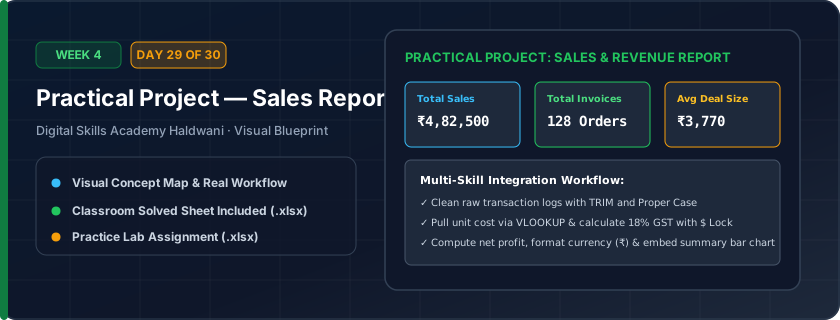
An end-to-end commercial sales reporting project: consolidating raw transactions, calculating Net Sales & 18% GST with locked references, pulling product rates with VLOOKUP, and building a KPI summary card deck.
Connects individual classroom formulas into a real-world office workflow. Proves you can take messy raw business data and produce executive-ready commercial dashboards.
"A great report is clean, dynamic, and readable in 5 seconds. Connect the dots: Raw Data → Formulas → Table → Summary Cards."
What You Will Master Today
- Real-world office project workflow: raw data to polished management report
- Integrating Excel Tables with auto-expanding structured formulas
- VLOOKUP to automatically pull item price from a master product price sheet
- IF statements to flag target achievement status
- Building high-level summary cards and inserting a professional comparison chart
Step-by-Step Practical Walkthrough
Set up Sheet 1: 'Master_Catalog' with Product Codes and Unit Prices.
Set up Sheet 2: 'Sales_Transactions' with Date, Salesperson, Product Code, and Quantity.
Use VLOOKUP in Sales_Transactions to fetch Unit Price from Master_Catalog.
Compute Revenue, GST, and Total Amount using dynamic table formulas.
Create a Summary Table and link a Column Chart visualizing salesperson performance.
Haldwani FMCG Distributors - Monthly Sales Performance Report (Complete Solved Project)
Study the completed reference worksheet below. Every column illustrates the standard formatting, formula structure, and alignment applied by professional office operators.
| Invoice No | Date | Salesperson | Product Code | Qty | Unit Price (=VLOOKUP) | Gross Sales (₹) | Status (=IF) |
|---|---|---|---|---|---|---|---|
| INV-101 | 2026-10-01 | Vikram Mehra | PRD-101 | 15 | ₹445.00 | 6675.0 | High Value |
| INV-102 | 2026-10-01 | Pooja Bisht | PRD-102 | 40 | ₹145.00 | 5800.0 | Normal |
| INV-103 | 2026-10-02 | Vikram Mehra | PRD-105 | 25 | ₹215.00 | 5375.0 | Normal |
| INV-104 | 2026-10-02 | Neha Rawat | PRD-106 | 30 | ₹320.00 | 9600.0 | High Value |
| INV-105 | 2026-10-03 | Pooja Bisht | PRD-101 | 20 | ₹445.00 | 8900.0 | High Value |
| INV-106 | 2026-10-03 | Neha Rawat | PRD-103 | 50 | ₹140.00 | 7000.0 | High Value |
Multi-Branch Electronics Retailer Monthly Sales Audit Project (Unsolved Challenge)
- Task 1: Use VLOOKUP in Column F to fetch Unit Price from the Master Price Catalog tab.
- Task 2: Calculate Gross Sales in Column G: '=Qty * Unit Price'.
- Task 3: In Column H (Status), write an IF statement: If Gross Sales >= 7000, display 'High Value', else 'Normal'.
- Task 4: At the top, build KPI cards for Total Revenue (SUM), Average Deal (AVERAGE), and Max Deal (MAX).
- Task 5: Insert a 2D Clustered Column Chart comparing Total Sales by Salesperson.
Exercise Data Template Preview: Download the .xlsx file below and execute each task independently.
| Invoice No | Date | Salesperson | Product Code | Qty | Unit Price (=VLOOKUP) | Gross Sales (₹) | Status (=IF) |
|---|---|---|---|---|---|---|---|
| INV-101 | 2026-10-01 | Vikram Mehra | PRD-101 | 15 | |||
| INV-102 | 2026-10-01 | Pooja Bisht | PRD-102 | 40 | |||
| INV-103 | 2026-10-02 | Vikram Mehra | PRD-105 | 25 | |||
| INV-104 | 2026-10-02 | Neha Rawat | PRD-106 | 30 | |||
| INV-105 | 2026-10-03 | Pooja Bisht | PRD-101 | 20 | |||
| INV-106 | 2026-10-03 | Neha Rawat | PRD-103 | 50 |
This capstone project mirrors the exact technical assessment test administered by IT and accounting companies recruiting in Haldwani, Rudrapur, and Dehradun!
Need 1-on-1 Guidance on Day 29?
Join our hands-on classroom lab sessions at Digital Skills Academy in Haldwani. Every student receives a dedicated PC workstation, live instructor reviews, and interview prep.