Mastering Day 30: What, Why & How
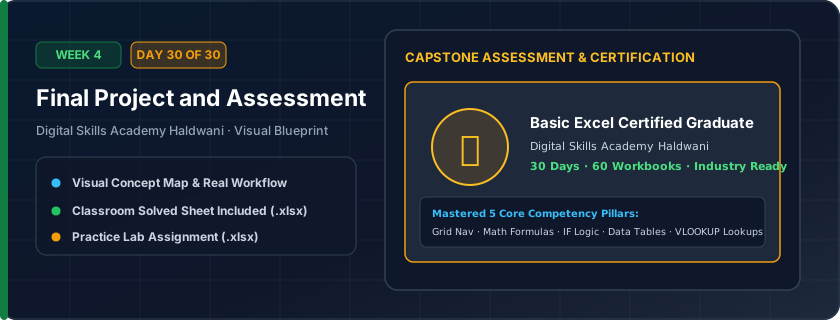
Comprehensive capstone practical assessment covering all 30 days: formatting, formulas, cell references ($), IF logic, data validation, VLOOKUP, charts, and print setup.
Validates genuine workplace competence. Confirms that you are 100% job-ready for administrative, accounting, data entry, banking, and MIS executive job roles in Haldwani and nationwide.
"Practice makes permanent! You now possess genuine practical spreadsheet mastery. Keep shortcuts sharp and always structure data cleanly."
What You Will Master Today
- Comprehensive 360-degree assessment of Days 1 through 30
- Formatting, formulas, relative & absolute references ($), logical IF, text functions, tables, and VLOOKUP
- Data visualization: executive chart formatting and presentation aesthetics
- Receiving your Digital Skills Academy Certificate of Completion in Haldwani
Step-by-Step Practical Walkthrough
Download the Final Assessment Workbook.
Read the Exam Instructions sheet carefully: time limit is 60 minutes.
Complete Part 1: Data Formatting & Setup (Days 1–7).
Complete Part 2: Formulas, SUM, IF, and Absolute References (Days 8–16).
Complete Part 3: Data Cleaning, Tables, and Validation (Days 17–25).
Complete Part 4: VLOOKUP & Management Reporting Chart (Days 26–29).
Digital Skills Academy - Model Solved Practical Examination (Reference Solution)
Study the completed reference worksheet below. Every column illustrates the standard formatting, formula structure, and alignment applied by professional office operators.
| Candidate ID | Test Section | Topic Evaluated | Max Marks | Marks Scored | Proficiency Grade |
|---|---|---|---|---|---|
| EXAM-2026-01 | Section A | Workbook Navigation & Formatting | 25 | 25 | Mastery |
| EXAM-2026-02 | Section B | Mathematical Formulas & References | 25 | 24 | Mastery |
| EXAM-2026-03 | Section C | Logical IF, Tables & Validation | 25 | 25 | Mastery |
| EXAM-2026-04 | Section D | VLOOKUP Search & Chart Dashboard | 25 | 25 | Mastery |
| OVERALL | Grand Total | All 30-Day Modules Consolidated | 100 | 99 | Certified Professional |
Final Practical Examination Challenge Workbook (Unsolved Exam Template)
- Task 1: Open each tab in the workbook and execute the specified task instructions.
- Task 2: Ensure every calculated answer uses a dynamic Excel formula.
- Task 3: Format all numbers and headers to professional corporate standards.
- Task 4: Submit your finished .xlsx file to the Digital Skills Academy evaluation desk in Haldwani for grading and certificate issuance!
Exercise Data Template Preview: Download the .xlsx file below and execute each task independently.
| Part ID | Section Title | Assessment Task Description | Your Submission Status | Mentor Evaluation |
|---|---|---|---|---|
| PART-1 | Sheet & Formatting Setup | Create Table, Navy header, Currency ₹, Freeze Panes | ||
| PART-2 | Calculations & References | Compute Subtotals, 18% GST with locked $B$2, Margin % | ||
| PART-3 | Data Validation & Logic | Create Dropdown list, Pass/Fail IF formula, Clean names | ||
| PART-4 | VLOOKUP & Charts | Build dynamic Search Card with VLOOKUP and insert Bar Chart |
Congratulations on completing all 30 days! You now possess genuine practical spreadsheet capability ready for any administrative, banking, sales, or MIS position.
Need 1-on-1 Guidance on Day 30?
Join our hands-on classroom lab sessions at Digital Skills Academy in Haldwani. Every student receives a dedicated PC workstation, live instructor reviews, and interview prep.