Mastering Day 7: What, Why & How
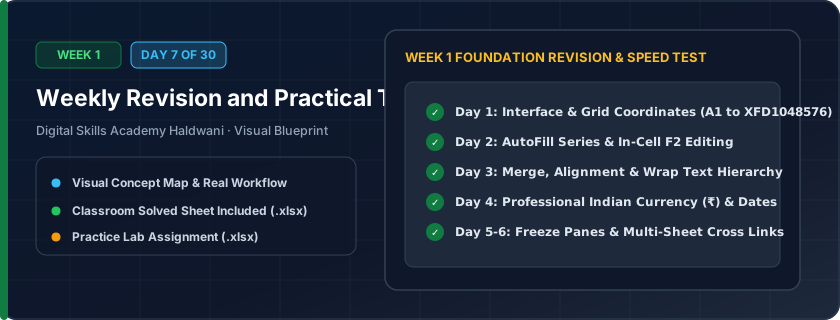
Consolidating Week 1 spreadsheet mastery — combining fast data entry, cell formatting, row/column adjustments, and multi-sheet navigation into a rapid, error-free office workflow.
In job interviews and daily office tasks, workplace speed and presentation quality determine whether you are viewed as an expert or a novice. Speed comes from muscle memory.
"Structure first, clean data second, professional styling third. Speed comes from shortcuts; trust comes from precision."
What You Will Master Today
- Comprehensive review of interface elements, ribbons, and keyboard shortcuts
- Best practices for professional workbook design and formatting aesthetics
- Error prevention: column widths, date parsing, and number precision
- Timed classroom assessment simulating real-world office tasks in Haldwani
Step-by-Step Practical Walkthrough
Download the Week 1 assessment practice template.
Follow the 5-point challenge checklist: data entry, alignment, currency formatting, sheet naming, and freezing panes.
Check that all numbers show Rupee currency symbol ₹ and dates show DD-MM-YYYY.
Compare your results with the solved reference sheet.
Uttarakhand IT Hardware Supplies - Complete Stock Master Ledger (Solved)
Study the completed reference worksheet below. Every column illustrates the standard formatting, formula structure, and alignment applied by professional office operators.
| Stock Code | Category | Hardware Item | Stock Qty | Unit Price (₹) | Total Value (₹) | Supplier | Warranty |
|---|---|---|---|---|---|---|---|
| HW-01 | Storage | Kingston 1TB NVMe SSD | 25 | ₹4,800.00 | ₹120,000.00 | Kumaon Infotech | 3 Years |
| HW-02 | Memory | Corsair 16GB DDR4 RAM | 40 | ₹3,200.00 | ₹128,000.00 | Haldwani Tech Hub | 5 Years |
| HW-03 | Peripherals | Logitech Wireless Combo MK270 | 30 | ₹1,650.00 | ₹49,500.00 | National Dist. | 1 Year |
| HW-04 | Monitors | LG 24-inch IPS Full HD Monitor | 15 | ₹9,500.00 | ₹142,500.00 | Kumaon Infotech | 3 Years |
| HW-05 | Power | APC 600VA UPS Battery | 20 | ₹3,100.00 | ₹62,000.00 | Shree Power Systems | 2 Years |
Week 1 Comprehensive Practical Assessment Challenge (Unsolved)
- Task 1: Apply a Navy Blue table header with White Bold text and center-align the headers.
- Task 2: Format Unit Price and Total Value columns as Indian Currency (₹#,##0.00).
- Task 3: Freeze the top header row so it remains visible while scrolling down.
- Task 4: AutoFit all columns so zero text is truncated, and rename the sheet tab to 'Master_Stock'.
Exercise Data Template Preview: Download the .xlsx file below and execute each task independently.
| Stock Code | Category | Hardware Item | Stock Qty | Unit Price (₹) | Total Value (₹) | Supplier | Warranty |
|---|---|---|---|---|---|---|---|
| HW-01 | Storage | Kingston 1TB NVMe SSD | 25 | ₹4,800.00 | Kumaon Infotech | 3 Years | |
| HW-02 | Memory | Corsair 16GB DDR4 RAM | 40 | ₹3,200.00 | Haldwani Tech Hub | 5 Years | |
| HW-03 | Peripherals | Logitech Wireless Combo MK270 | 30 | ₹1,650.00 | National Dist. | 1 Year | |
| HW-04 | Monitors | LG 24-inch IPS Full HD Monitor | 15 | ₹9,500.00 | Kumaon Infotech | 3 Years | |
| HW-05 | Power | APC 600VA UPS Battery | 20 | ₹3,100.00 | Shree Power Systems | 2 Years |
Speed and accuracy are the benchmarks employers look for in MIS operators. Memorizing keyboard shortcuts saves 30-40% of daily time!
Need 1-on-1 Guidance on Day 7?
Join our hands-on classroom lab sessions at Digital Skills Academy in Haldwani. Every student receives a dedicated PC workstation, live instructor reviews, and interview prep.